

How capacity works
Each location can have a daily order limit. When the limit is reached:- The counter resets at midnight (store timezone)
- Remaining capacity = Daily limit − Orders fulfilled today
How to configure capacity
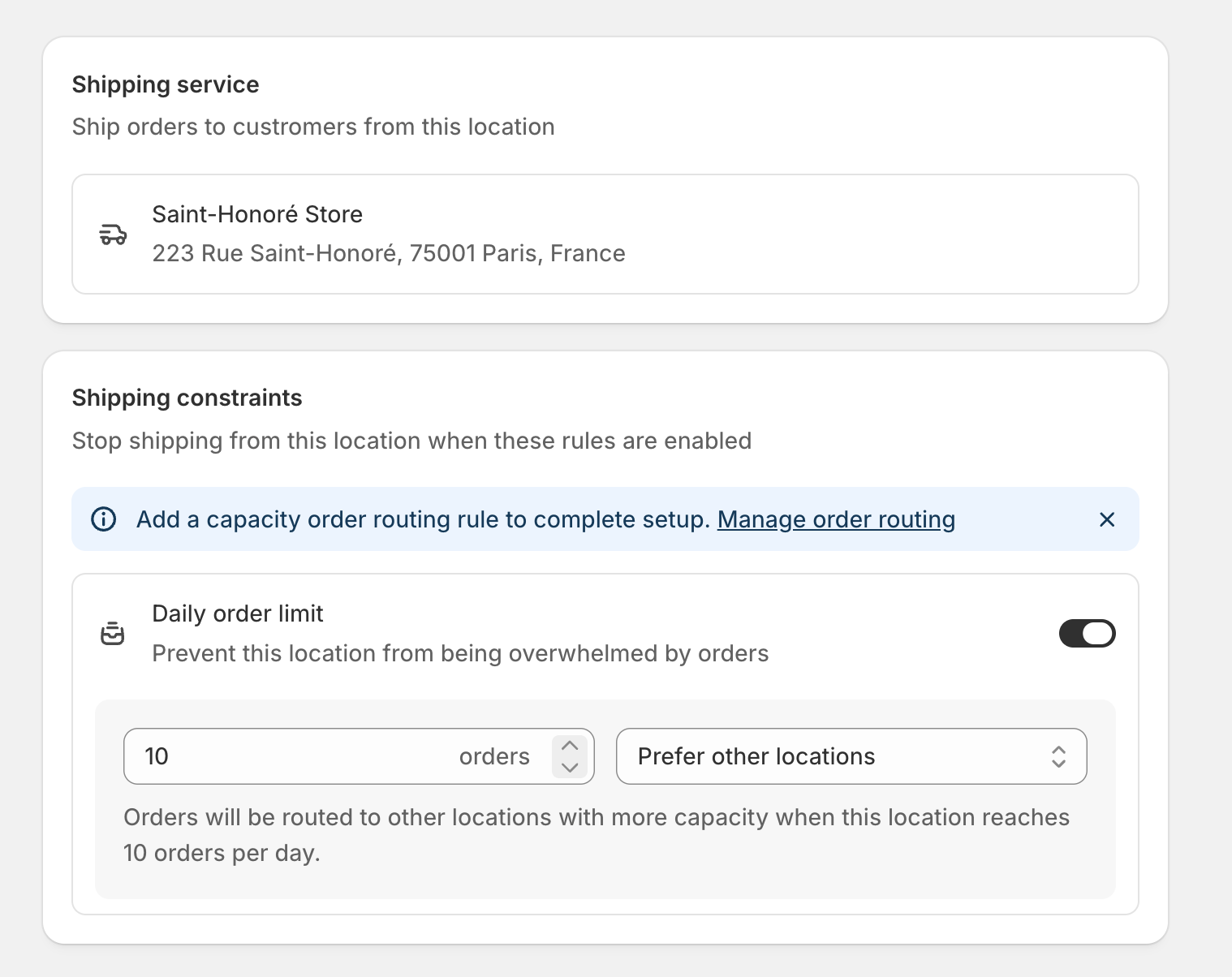
Capacity modes
| Mode | Behavior |
|---|---|
| Prefer other locations | Deprioritize the location but allow overflow if needed. Orders can still be fulfilled if no other option exists. |
| Block orders | Exclude the location entirely when capacity is reached. Hard block—no orders assigned. |
Capacity as constraint vs routing rule
Capacity can work in two ways depending on your setup:- As a constraint (block)
- As a routing rule (prefer)
When set to Block orders, capacity acts as a hard constraint.
- Location is excluded from fulfillment when at capacity
- If it’s the only location that can fulfill, the order is blocked at checkout
- Use for strict operational limits
To use capacity in order routing, you need to enable a Capacity routing rule in Shopify’s order routing settings. Charlie will prompt you if this isn’t configured.
Examples
Retail store with limited staff
Retail store with limited staff
A store can only process 10 ship-from-store orders per day.Setup:
- Daily order limit: 10
- Mode: Prefer other locations
Warehouse with hard cap
Warehouse with hard cap
A 3PL charges extra for orders beyond their daily SLA.Setup:
- Daily order limit: 500
- Mode: Block orders
Variable capacity by day
Variable capacity by day
A store has more staff on weekdays than weekends.Setup:
- Use Charlie’s Automations to schedule capacity changes
- Weekdays: 50 orders
- Weekends: 20 orders